mirror of
https://github.com/lcpz/awesome-copycats.git
synced 2026-03-23 22:15:11 +00:00

203 lines
5.5 KiB
Markdown
203 lines
5.5 KiB
Markdown
# Awesome WM Copycats
|
|
|
|
## Themes for Awesome WM 4.x
|
|
|
|
Author
|
|
|
|
: Luca CPZ
|
|
|
|
Version
|
|
|
|
: git
|
|
|
|
License
|
|
|
|
: [BY-SA](https://creativecommons.org/licenses/by-sa/4.0)
|
|
|
|
Source
|
|
|
|
: <https://github.com/lcpz/awesome-copycats>
|
|
|
|
# Description
|
|
|
|
A set of themes for the [Awesome](http://github.com/awesomeWM/awesome)
|
|
window manager, version 4.x.
|
|
|
|
See [branches](https://github.com/lcpz/awesome-copycats/branches) for
|
|
previous versions.
|
|
|
|
# Purpose
|
|
|
|
The main purpose of this repository is to spread ready to use
|
|
configurations, which can also serve as a cookbook for customisation.
|
|
|
|
A secondary aim is to add new themes only when they constitute different
|
|
UI/UX designs.
|
|
|
|
# Features
|
|
|
|
- Modularity
|
|
- Autohide widgets
|
|
- Autostart windowless processes
|
|
- Fast MPD and volume shortcuts (first time this trick has been used
|
|
in Awesome)
|
|
- Shortcuts for copying to the clipboard, toggle wiboxes, widgets
|
|
popups, screenshots capture, moving and magnifying clients
|
|
- Quake drop-down terminal
|
|
- Calendar with current day highlighted and months switch with a
|
|
click/scroll
|
|
- Notifications for new mails, current song, volume level, hdd
|
|
critical state, low battery
|
|
- OpenWeatherMap integration
|
|
- Net carrier status notifier
|
|
- Symbolic tag names
|
|
- DWM-like textual layoutbox
|
|
- Cairo wibar
|
|
- Custom layouts
|
|
- No borders when there\'s only one visible client
|
|
- Freedesktop.org compliant menu and desktop icons
|
|
- Vi-like client focus
|
|
- Non-empty tag browsing
|
|
- On-the-fly useless gaps resize
|
|
- Dynamic tagging
|
|
|
|
# Gallery
|
|
|
|
**Multicolor**, inspired by
|
|
[lucamanni](https://github.com/lucamanni/awesome)
|
|
|
|
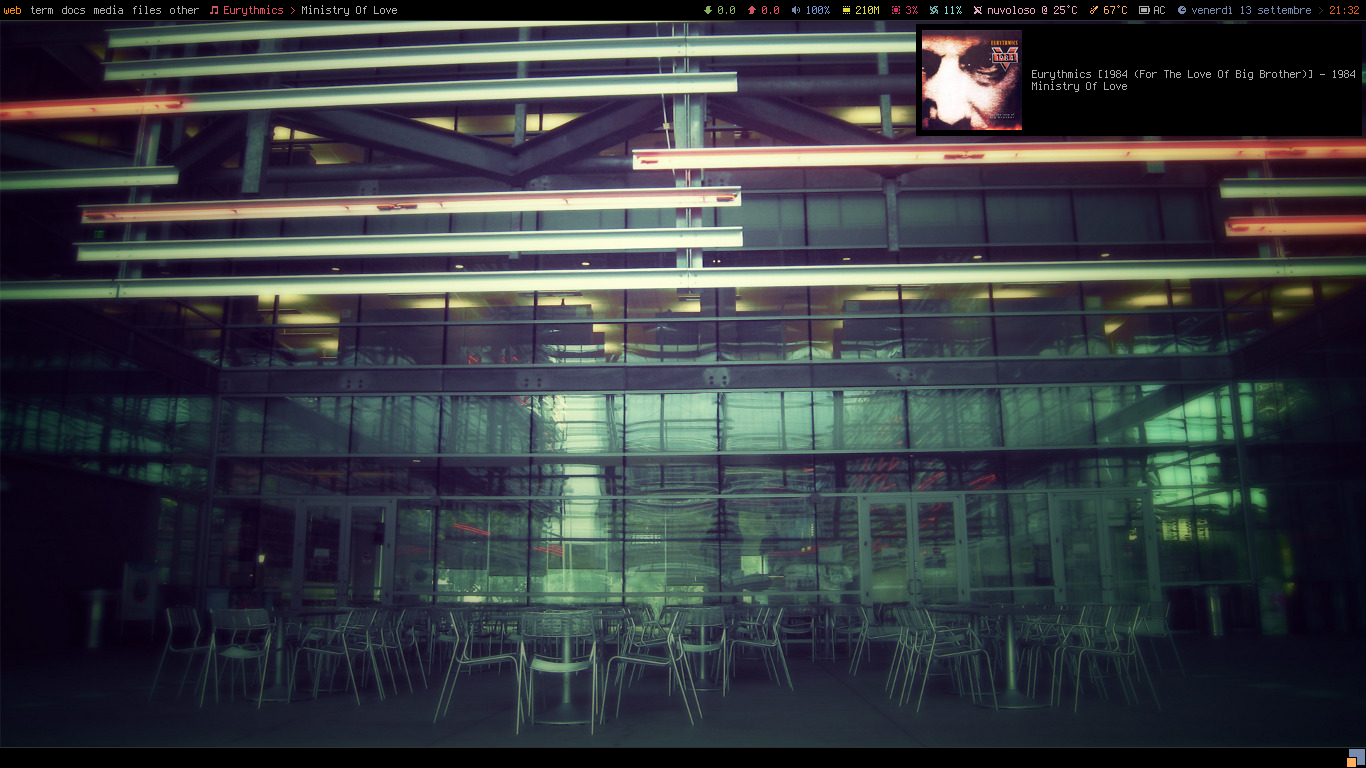
|
|
|
|
**Powerarrow**, porting of
|
|
[romockee](https://github.com/romockee/powerarrow)\'s
|
|
|
|

|
|
|
|
**Powerarrow Dark**
|
|
|
|
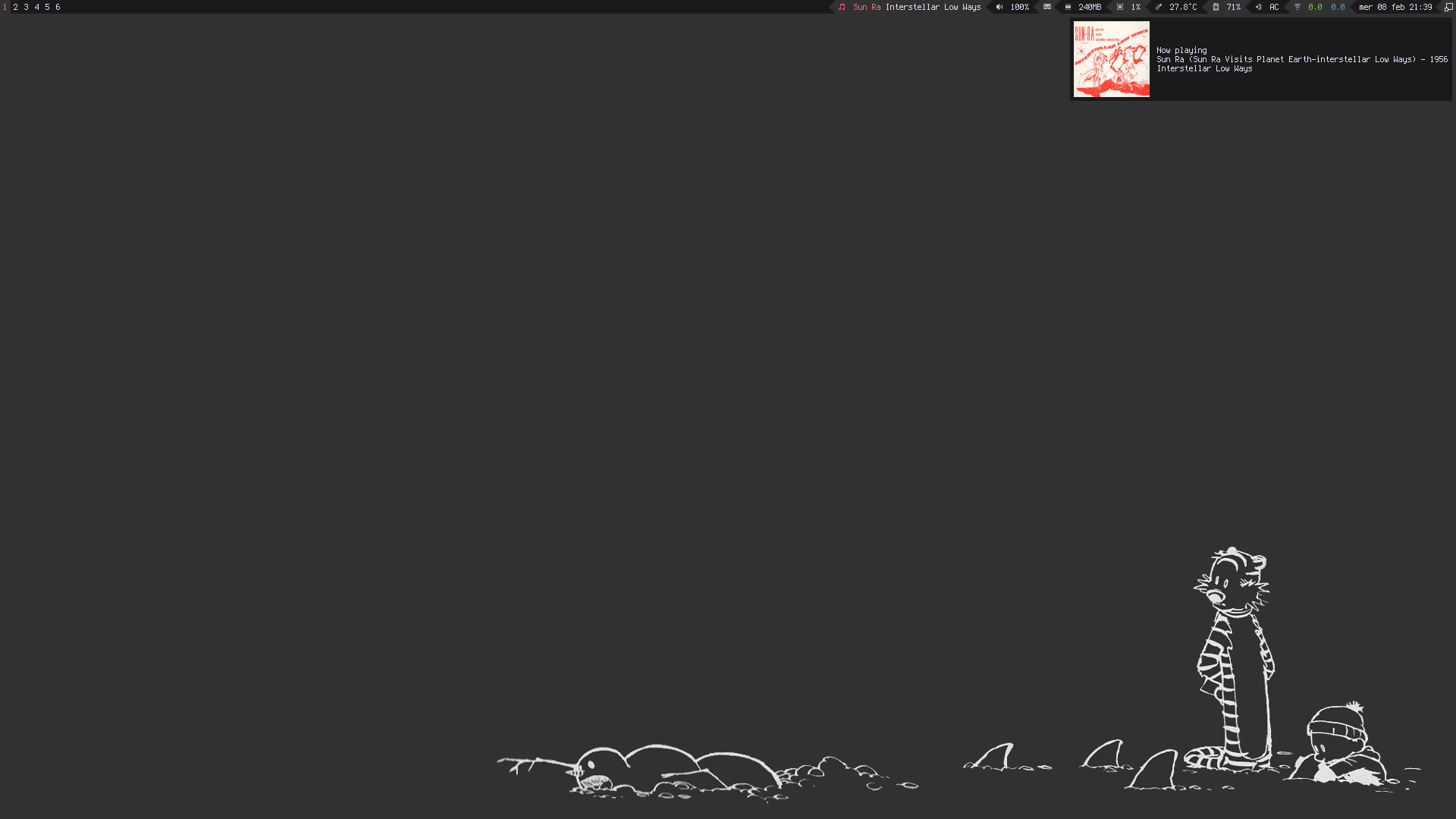
|
|
|
|
**Steamburn**, porting of
|
|
[ok100](http://ok100.deviantart.com/art/DWM-January-2013-348656846)\'s
|
|
dwm
|
|
|
|

|
|
|
|
**Blackburn**
|
|
|
|
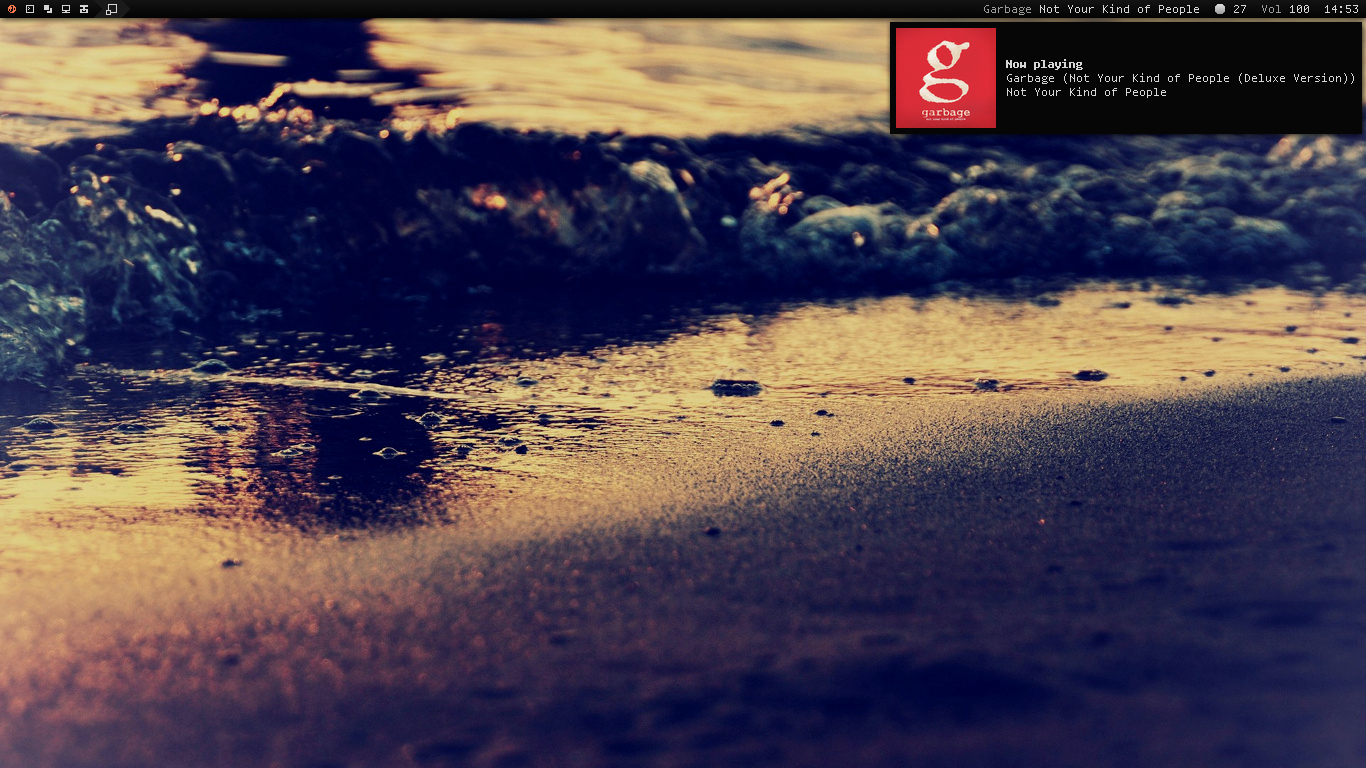
|
|
|
|
**Dremora**
|
|
|
|
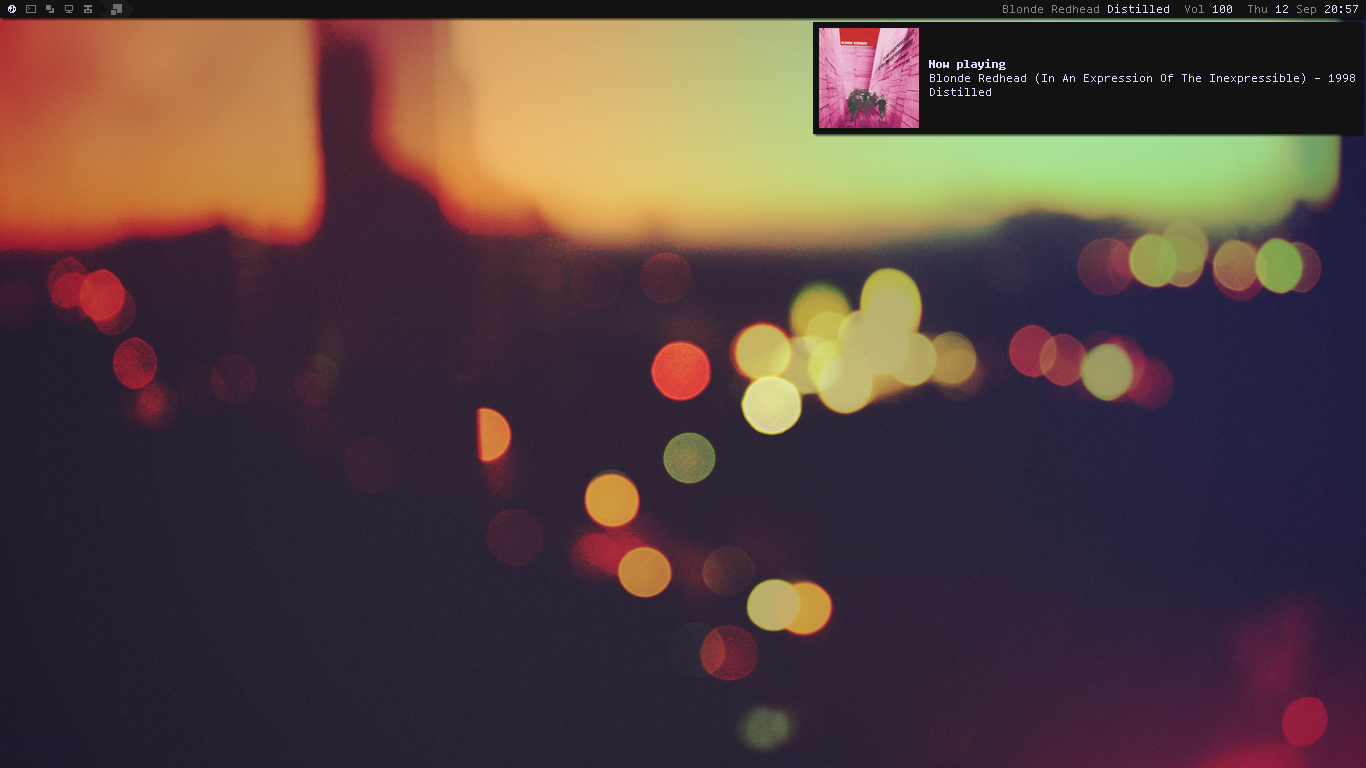
|
|
|
|
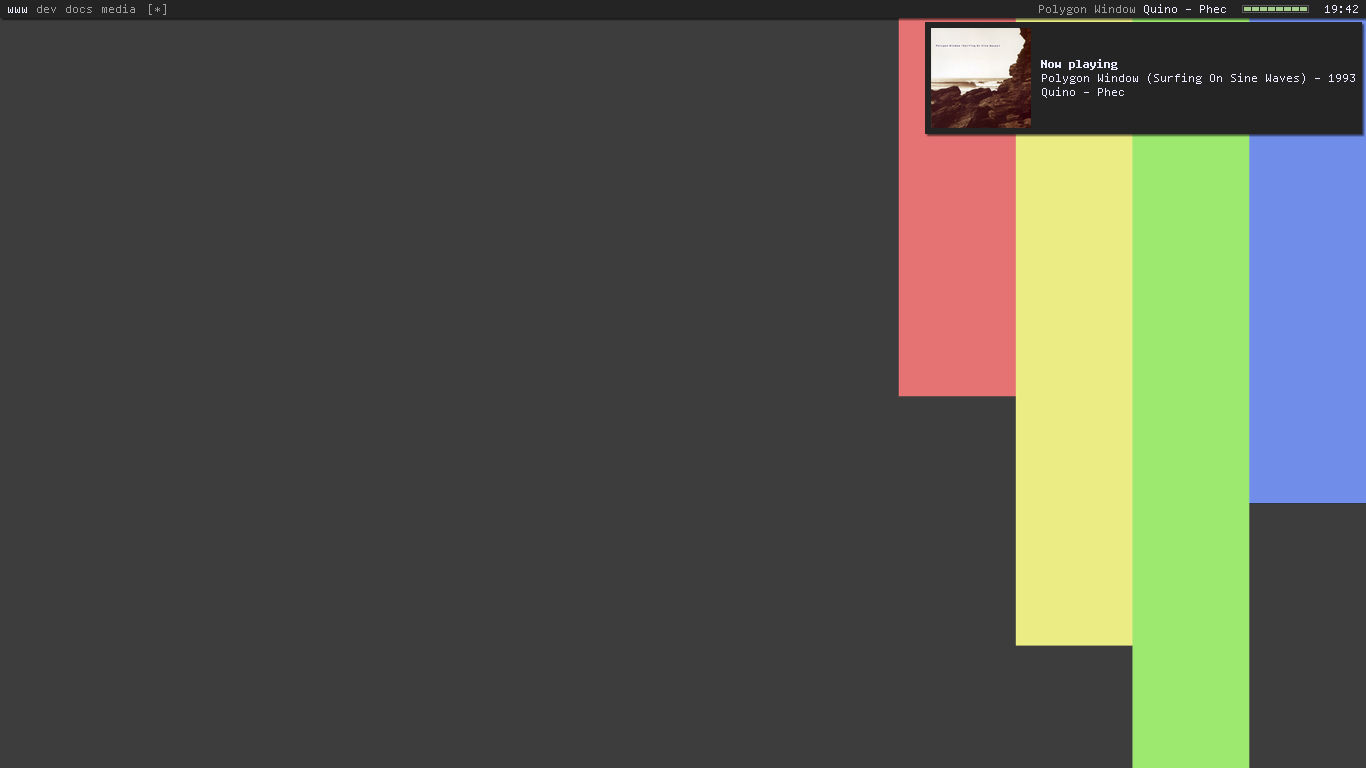
**Rainbow**
|
|
|
|
|
|
|
|
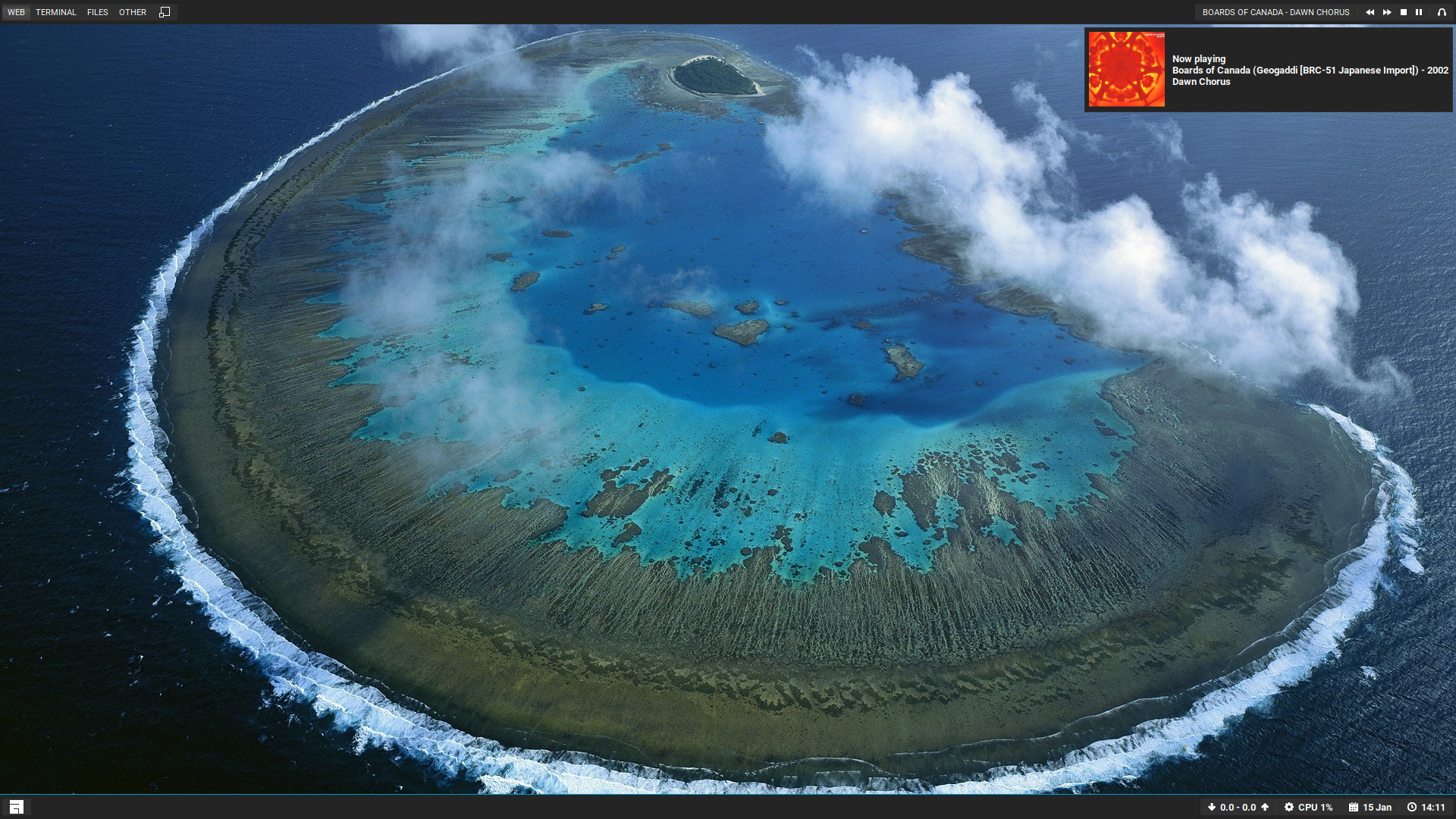
**Holo**, requested by
|
|
[amouly](https://bbs.archlinux.org/viewtopic.php?pid=1307158#p1307158)
|
|
|
|
|
|
|
|
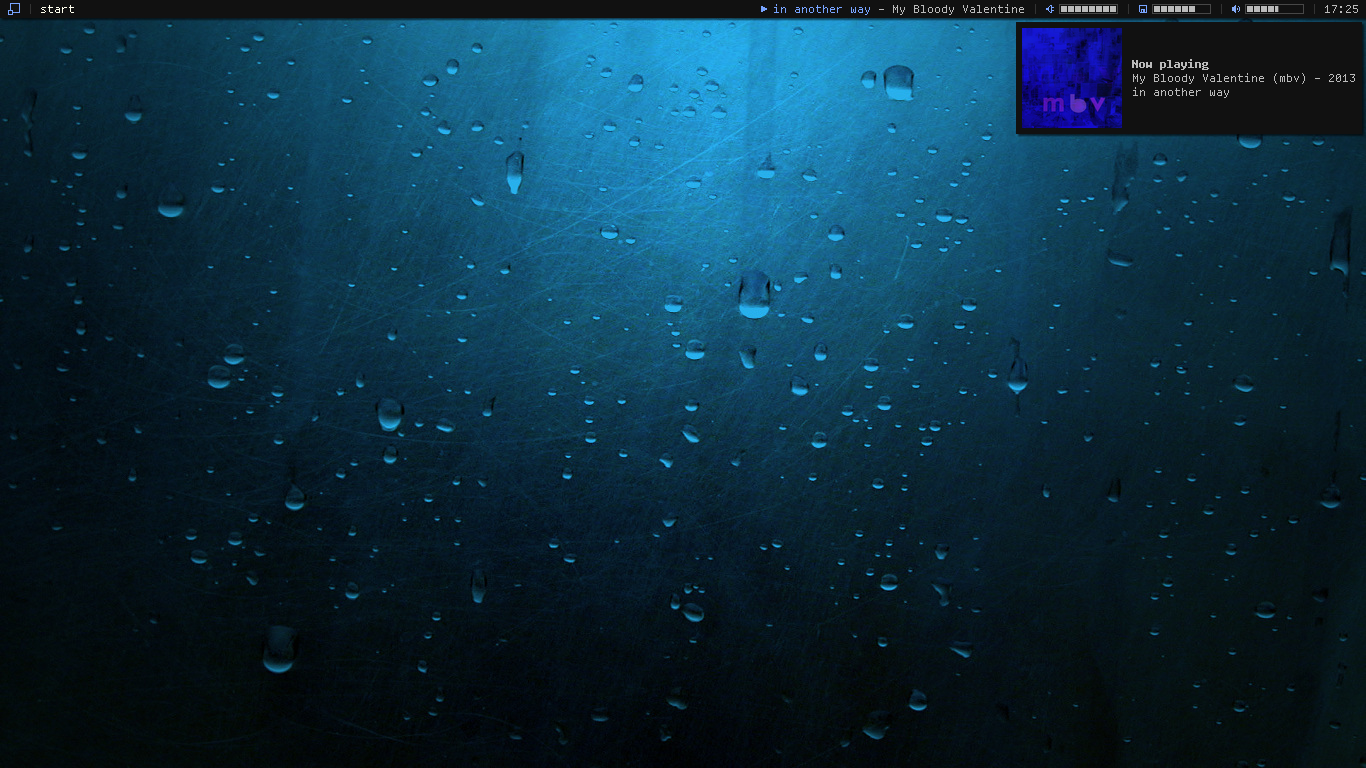
**Copland**, inspired by [foozer](http://dotshare.it/dots/499)
|
|
|
|
|
|
|
|
**Vertex**, requested by
|
|
[swordfischer](https://github.com/lcpz/awesome-copycats/issues/53)
|
|
|
|

|
|
|
|
# Installation
|
|
|
|
``` shell
|
|
[[ ! -d "~/.config/awesome" ]] && mkdir -p ~/.config/awesome && git clone --recurse-submodules --remote-submodules --depth 1 -j 2 https://github.com/SirHadrian/awesome-themes.git && mv -v awesome-themes/* ~/.config/awesome && rm -rf awesome-themes
|
|
```
|
|
|
|
# Usage
|
|
|
|
The modular structure allows to
|
|
|
|
- set variables
|
|
- define startup processes
|
|
- change keybindings and layouts
|
|
- set client properties
|
|
|
|
in `rc.lua`, and
|
|
|
|
- configure widgets
|
|
- define wiboxes and screen settings
|
|
|
|
in `theme.lua`, so that you just need to change `chosen_theme` variable
|
|
in `rc.lua` to preserve your preferences *and* switch the theme, instead
|
|
of having file redundancy.
|
|
|
|
Just do the following:
|
|
|
|
``` shell
|
|
$ cd ~/.config/awesome
|
|
$ cp rc.lua.template rc.lua
|
|
```
|
|
|
|
Then, set the variable `chosen_theme` in `rc.lua` to your preferred
|
|
theme, do your settings, and restart Awesome (`Mod4 + ctrl + r`).
|
|
|
|
To customize a theme, head over to `themes/$chosen_theme/theme.lua`.
|
|
|
|
Otherwise, if you want to be synced with upstream, modify the theme path
|
|
in `rc.lua` like this:
|
|
|
|
``` diff
|
|
-beautiful.init(string.format("%s/.config/awesome/themes/%s/theme.lua", os.getenv("HOME"), chosen_theme))
|
|
+beautiful.init(string.format("%s/.config/awesome/themes/%s/theme-personal.lua", os.getenv("HOME"), chosen_theme))
|
|
```
|
|
|
|
then, copy `theme.lua` to `theme-personal.lua` and do your
|
|
customizations there.
|
|
|
|
This way, you can safely `git pull` anytime.
|
|
|
|
# Themes details
|
|
|
|
# Powerarrow-dark
|
|
|
|
For the weather widget to work install:
|
|
|
|
``` shell
|
|
$ wget -P ~/.config/awesome/ https://raw.githubusercontent.com/rxi/json.lua/master/json.lua
|
|
```
|
|
|
|
For custom [dmenu build patches](https://github.com/bakkeby/dmenu-flexipatch)
|
|
|
|
|
|
|
|
# Notes
|
|
|
|
Complements are provided by [lain](https://github.com/lcpz/lain) and
|
|
[freedesktop](https://github.com/lcpz/awesome-freedesktop). **Be sure**
|
|
to satisfy their
|
|
[dependencies](https://github.com/lcpz/lain/wiki#dependencies). In
|
|
particular, [mail](https://github.com/lcpz/lain/wiki/mail) and
|
|
[weather](https://github.com/lcpz/lain/wiki/weather) widgets have
|
|
**mandatory** arguments.
|
|
|
|
The fonts used in the screenshots are:
|
|
[Terminus](http://terminus-font.sourceforge.net) (Multicolor,
|
|
Powerarrow, Powerarrow Dark),
|
|
[Roboto](https://fonts.google.com/specimen/Roboto) (Holo, Vertex) and
|
|
[Tamzen](https://github.com/sunaku/tamzen-font) (other ones).
|
|
|
|
As taglist font, Blackburn and Dremora use
|
|
[Icons](https://github.com/lcpz/dots/tree/master/.fonts), Vertex uses
|
|
[FontAwesome](https://github.com/FortAwesome/Font-Awesome): be sure to
|
|
have bitmaps enabled if running under Debian or
|
|
[Ubuntu](https://wiki.ubuntu.com/Fonts#Enabling_Bitmapped_Fonts).
|
|
|
|
Every theme has a
|
|
[colorscheme](https://github.com/lcpz/dots/tree/master/.colors).
|
|
|
|
Additional default software used: :
|
|
|
|
amixer dmenu librewolf firefox alsa-utils mpc scrot unclutter xsel xlockmore light picom-git alacritty nitrogen
|